
Build with AI
Your AI, building in WordPress
Uncoder has an MCP server built in. Connect Claude, ChatGPT, Cursor or any MCP client — it builds pages, headers, popups and whole design systems with the same elements you use by hand.
Claude · connected to your site
You
Create a Services page with a hero, our four services as cards with icons, a short FAQ and a call to action to book a consultation.
Claude · using Uncoder
Done — it’s on your site and fully editable.
Works with
Connect
Connected in three steps
No AI key in WordPress: your AI app does the thinking with your own account, your site does the work.
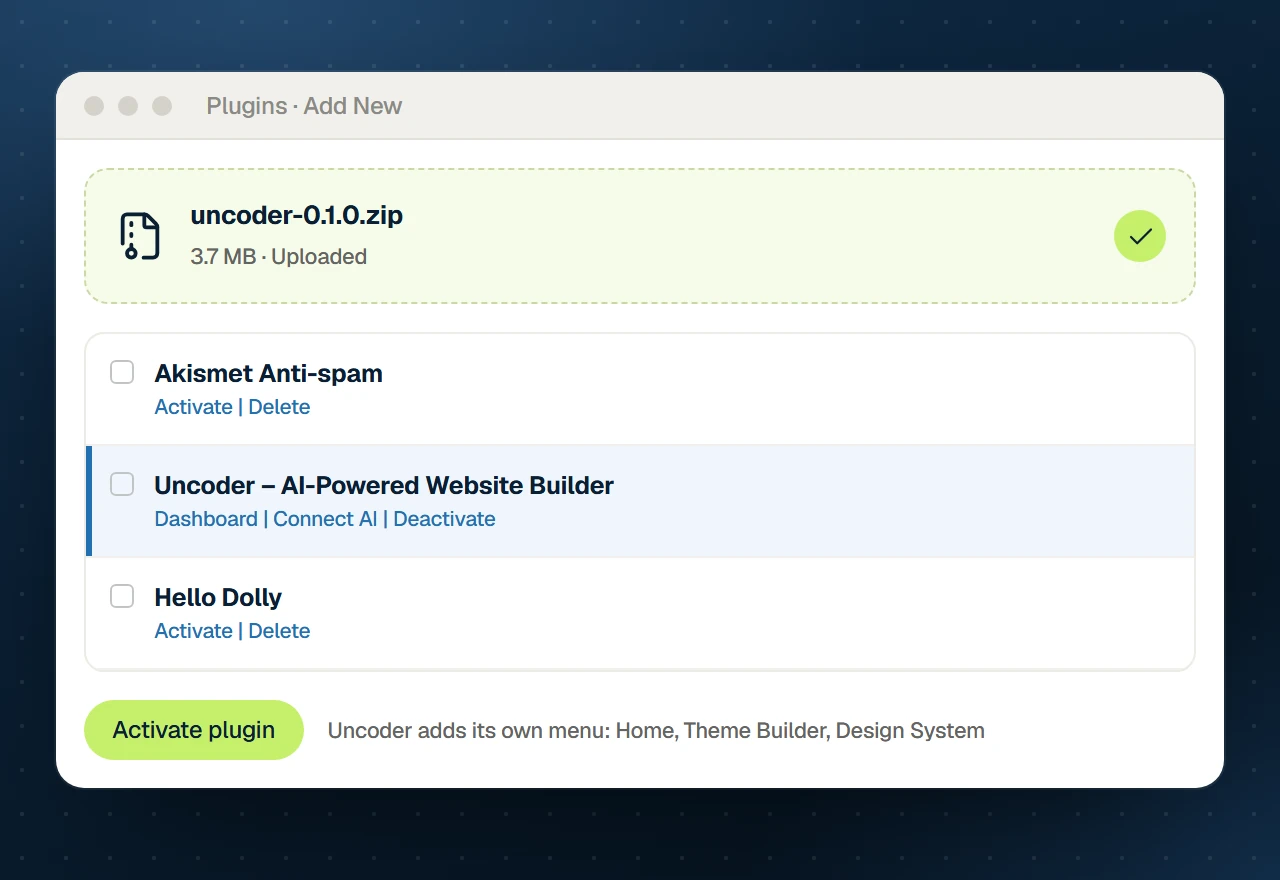
Step 01
Install Uncoder
Upload the free plugin and activate it. The MCP server starts with it.
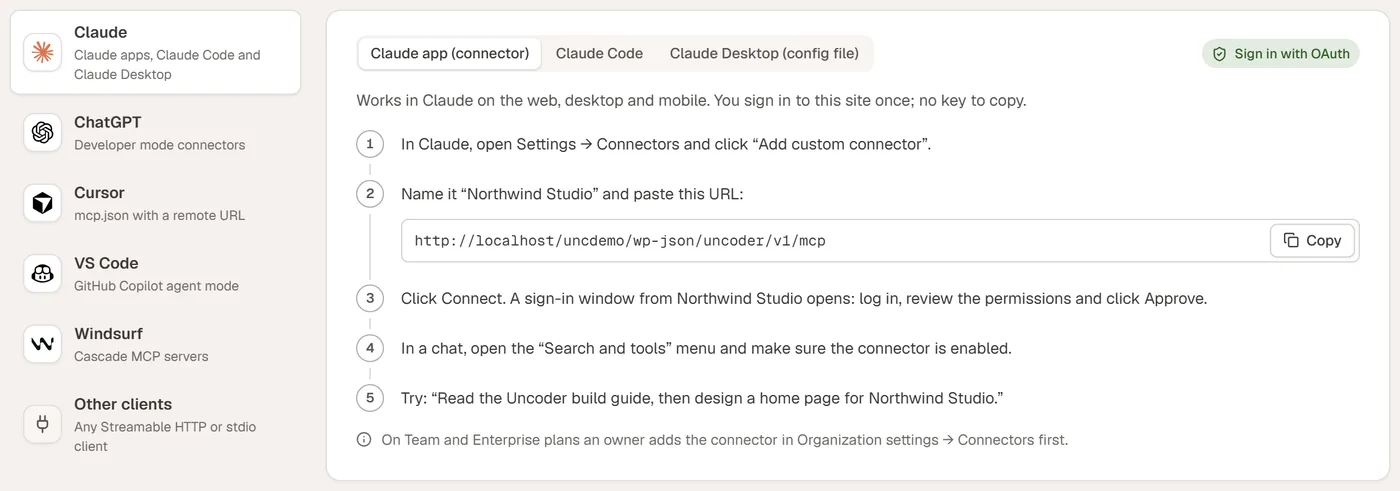
Step 02
Connect your AI app
Uncoder → AI & MCP shows copy-ready setup for each app, filled in with your site address.

Step 03
Describe what you want
Ask for a page, a header, a popup or a rebrand — then review, tweak and publish.
Sign in with OAuth
For the Claude app and ChatGPT. Log in to your site once and approve the app — no keys to copy.
API key
For coding tools and desktop apps. Create a key with the permissions it needs; it can expire and be revoked.
58 tools
Everything your AI can do
What a connection may actually do depends on its permissions (read, content, design, site) and the WordPress role of its user.
Understand your site
11 tools
Looks around before it changes anything: pages, templates, the Design System, widgets and the build guide.
get_site_overview
list_pages
get_page
get_build_guide
list_widgets
get_widget_schema
list_dynamic_tags
search_icons
search_fonts
list_patterns
get_pattern
“Look at my site and tell me which pages exist and what the brand colors are.”
Build and edit pages
10 tools
Creates pages from widgets or section patterns, edits element by element, proofreads and audits.
create_page
update_page
edit_elements
find_elements
validate_elements
duplicate_page
publish_page
delete_page
render_page
audit_page
“On the About page, swap the team photos for the new ones and make the headline shorter.”
Design System
3 tools
Restyles the whole site at once — and can go back to the previous design.
get_design_system
update_design_system
revert_design_system
“Use deep green as the primary color, terracotta as the accent and Fraunces for headings.”
Theme Builder & popups
6 tools
Headers, footers, post layouts, archives, 404 pages, mega menus and popups with display conditions.
list_templates
create_template
update_template
set_template_conditions
get_conditions_map
configure_popup
“Design a sticky header with the logo, the main menu and a Book now button, on the whole site.”
Menus
5 tools
Builds menus with icons and descriptions, assigns locations and attaches mega menus.
list_menus
create_menu
set_menu_items
assign_menu_location
set_mega_menu
“Add a Services dropdown with our four services, each with an icon and a one-line description.”
Media
6 tools
Uploads images, writes alt text, finds openly licensed photos and makes placeholders and text logos.
list_media
upload_media
search_images
set_image_alt
generate_placeholder
generate_logo
“Find three calm interior photos with a free licence and use them in the hero slider.”
Posts and content
7 tools
Writes posts, sets categories, tags and featured images, works with custom post types.
list_posts
get_post
create_post
update_post
list_terms
create_term
list_content_types
“Write a 600-word post about choosing paint colors, as a draft in the Journal category.”
Site and housekeeping
8 tools
Settings, SEO, custom CSS, find and replace across pages, caches and form submissions.
get_site_settings
update_site_settings
set_seo_meta
set_custom_css
get_custom_css
find_replace
clear_cache
list_form_submissions
“Our phone number changed. Find the old one everywhere and replace it — show me the list first.”
Undo
2 tools
Every change to a page, template or the Design System is saved first, so it can be undone.
undo_last_change
list_snapshots
“That’s not what I wanted. Undo your last change to the home page.”
Prompts that work
Ask like you would ask a designer
Be specific about content and goals; leave the widgets to the AI. A few that get great results:
A whole page
“Design a home page for a family-run bakery in Leeds, with a hero, three product highlights, opening hours and a contact form.”
A new look
“Change the brand colors to deep green and terracotta, use Fraunces for headings and check button contrast.”
A precise edit
“Turn the pricing section into three plans with a monthly / yearly switch and highlight the middle plan.”
A theme template
“Create a blog post layout with the title, the featured image, the content, author box and related posts.”
A page check
“Check the About page for accessibility and SEO problems and fix the ones you can.”
A migration
“Rebuild our Elementor landing page with Uncoder widgets and our Design System.”
Uncoder editor
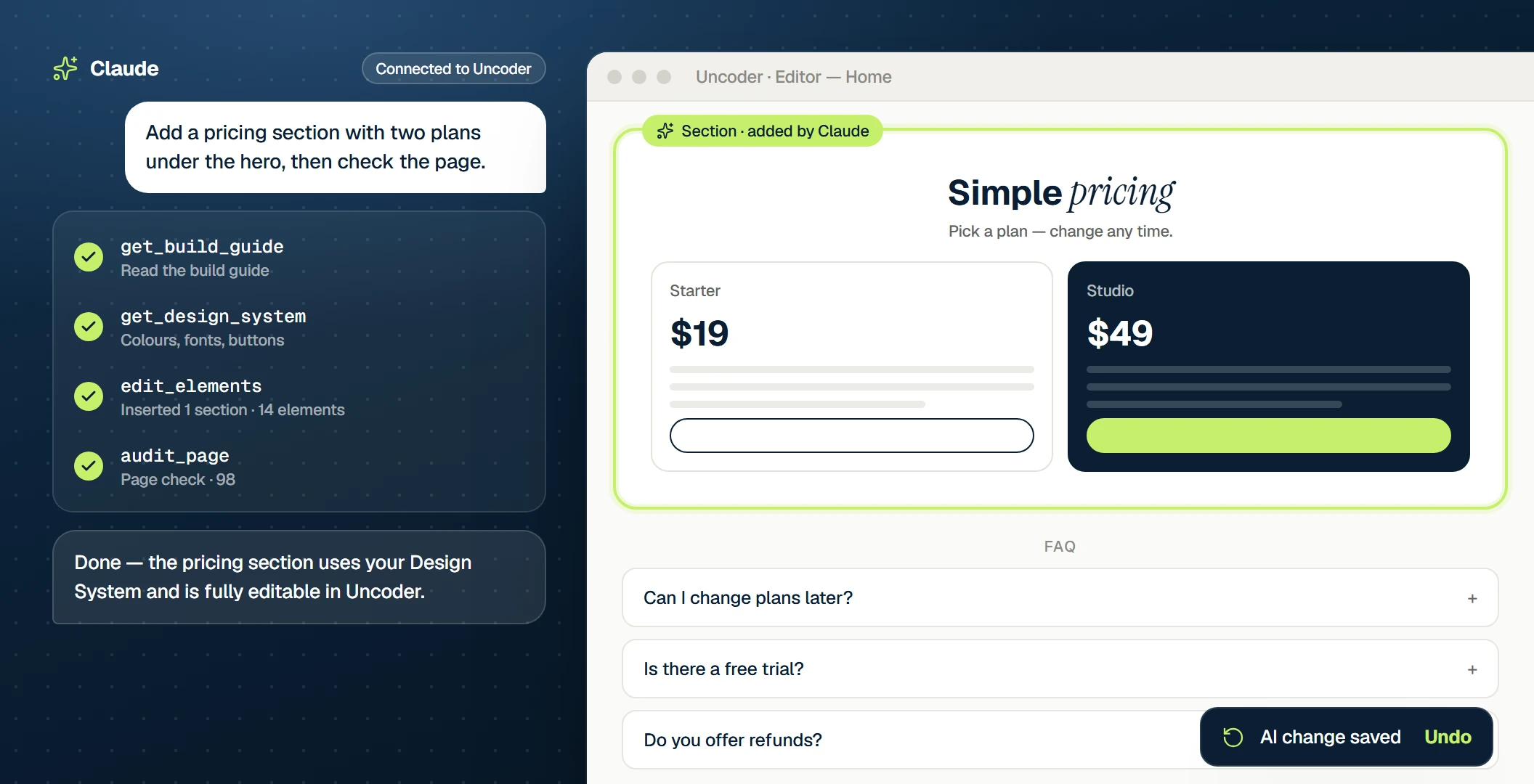
Refine by hand
What the AI builds is yours
No black box and no generated code: the AI places real containers and widgets with real settings. Open the page in the visual editor and change anything — or ask for the next change in the chat.
Safe by design
A capable assistant with a narrow login
It acts as a WordPress user
Every request runs as the user who connected the app, with exactly that user’s rights.
You choose the permissions
Read, content, design and site — a connection never gets more than you allow.
Every call is logged
The activity log shows the app, the tool, the result and the time of every call.
Every change can be undone
Pages, templates, popups and the Design System are saved before each change.
Short-lived sign-ins
OAuth access lasts an hour and renews itself; a reused token disconnects the app.
Keys you can revoke
API keys are stored as hashes, can expire and can be revoked at any time.
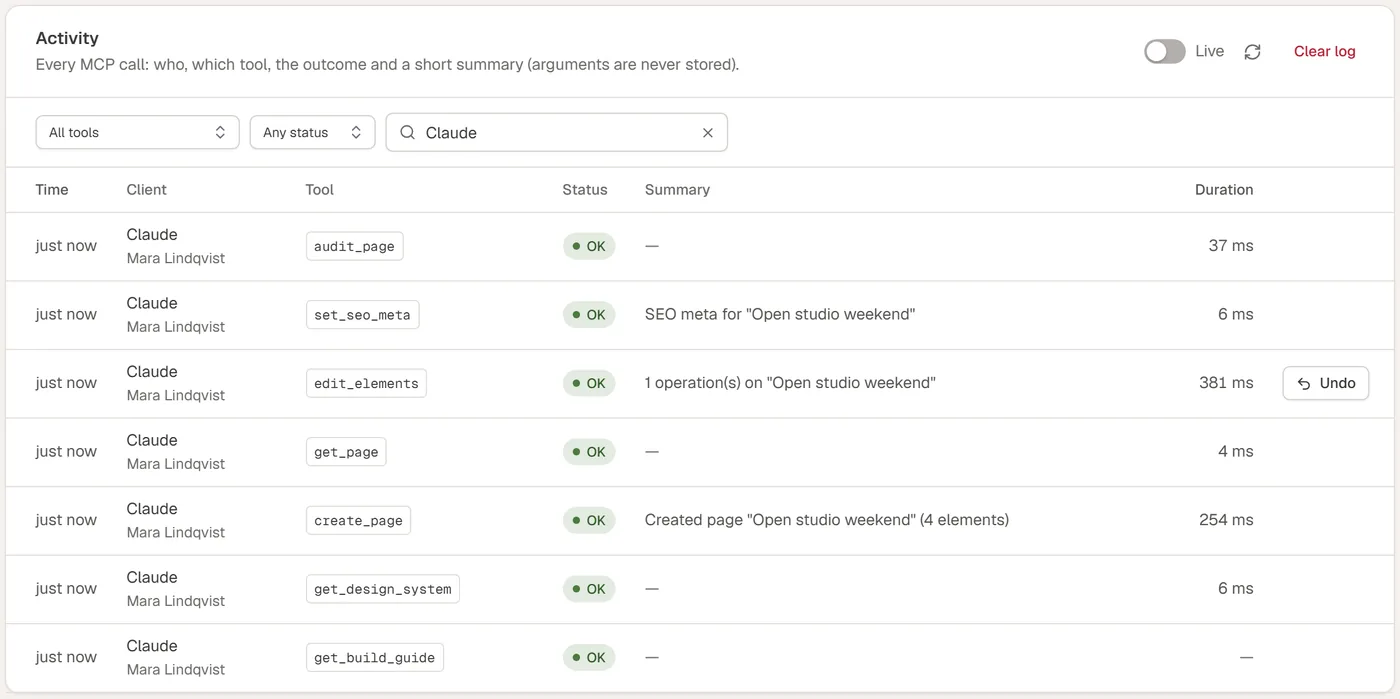
Activity
See every change, undo any
Uncoder → AI & MCP → Activity lists each call with the app, the tool and the result. One click restores the page as it was before.
FAQ