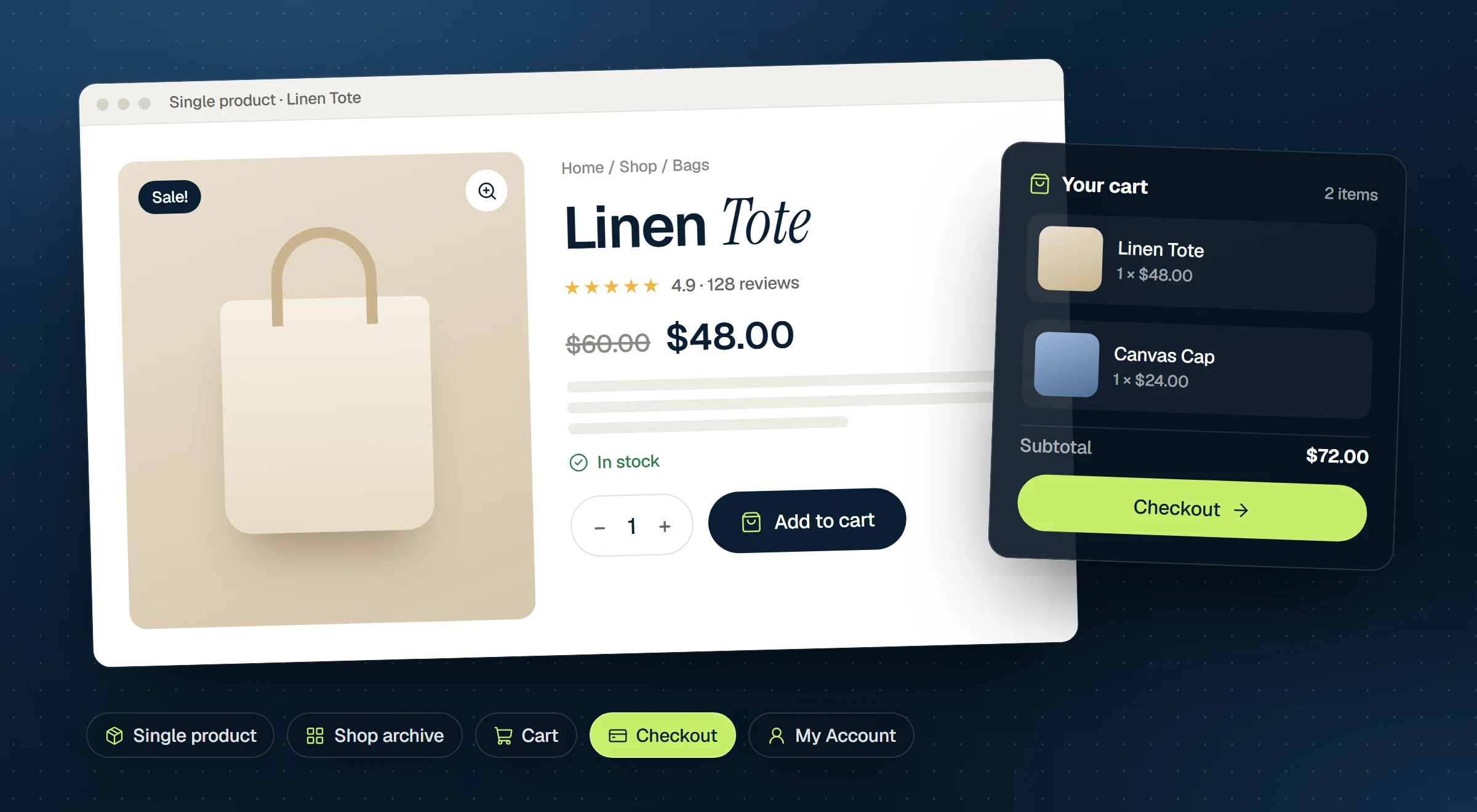
Uncoder 0.1.5 brings WooCommerce support. You can now design every page of your store in the same editor you use for the rest of your site: the product page, the shop and category pages, the cart, the checkout, the customer account and the cart icon in your header.
WooCommerce stays in charge of the store. Prices, stock, product options, the cart, payments, taxes, shipping, emails and the product data that search engines read all still come from WooCommerce, so your payment gateway and other WooCommerce extensions keep working. Uncoder handles how it all looks.
Templates for product and shop pages
The Theme Builder has a new Shop group with two template types:
- Single product sets the layout of every product page.
- Product archive sets the layout of the shop page and your product category and tag pages.
You design them with real products. Preview with in the template settings picks the product the editor shows, so you can check a long title, a sale price or a product with many options before it goes live. If you don’t create these templates, WooCommerce and your theme show those pages as before.
Widgets for every part of a product page
The WooCommerce group in the Insert panel has a widget for each part of a product page. That includes Product Images (a gallery with zoom and a lightbox), Product Title, Product Price, Add to Cart, Product Rating, Product Stock, Product Meta, Short Description, Product Description, Product Tabs with reviews, Additional Information, Sale Badge and Woo Notices.
Add to Cart works for every product type, including variable products with options. It has − and + buttons for the quantity and adds to the cart without reloading the page.
In a Single product template, each widget shows the product the visitor opened. On any other page, pick a product in the widget’s Product section to feature it. For example, a landing page for one product can show its price, images and add-to-cart button in a layout of your own.
Product grids, or your own product cards
The Products widget is the shop listing, with sorting, a result count and pages. It can also show your latest, featured, on-sale, best-selling or top-rated products, or ones you pick. Related Products shows related products, upsells or cross-sells, and Product Categories shows a grid of your categories.
For full control, design a product card yourself as a loop item and show it with a Loop Grid or Loop Carousel. Both can now query products: featured, on sale, best selling, top rated or in stock, ordered by price, sales or rating.
Cart, checkout, account and a mini cart
The Cart, Checkout and My Account widgets style WooCommerce’s own pages, so they match the rest of your site. For the header, the Mini Cart shows the item count and subtotal and opens a cart drawer. The drawer slides in without moving the page behind it, and fades in instead for visitors who have asked their device for less motion.
Shop colors in your Design System
The Design System has a new Shop tab. Set the price, sale price, sale badge, star and message colors once and every WooCommerce widget uses them. Two switches give WooCommerce’s own buttons and form fields your Design System styles too, so pages that WooCommerce or an extension prints still match your brand.
Dynamic tags for store data
The new WooCommerce dynamic tags put store data into any widget: price, SKU, stock, rating, discount, cart count and total, and links to the shop pages. For example, a hero heading can show a product’s current discount, or a button can link to the cart. Breadcrumbs, Archive Title and Archive Description also show the shop’s own title and text.
Faster pages outside the store
WooCommerce loads its stylesheets and cart scripts on every page by default. Turn on Settings → Performance → Load WooCommerce files only on store pages and they stay off pages that show nothing from the store, such as your home page and blog. WooCommerce’s order attribution, which records where a customer came from, keeps working on every page.
Let your AI build the store
As with the rest of Uncoder, your connected AI app can do this for you. Claude, ChatGPT or Cursor can build product pages, the shop, the cart and the header cart, and set the Shop colors. Try a prompt like:
Design a Single product template for my store, with a large gallery on the left, the title, price, rating, add to cart and stock on the right, product tabs below and related products at the bottom. Use my Design System and add a mini cart to the header.
Coming from Elementor Pro?
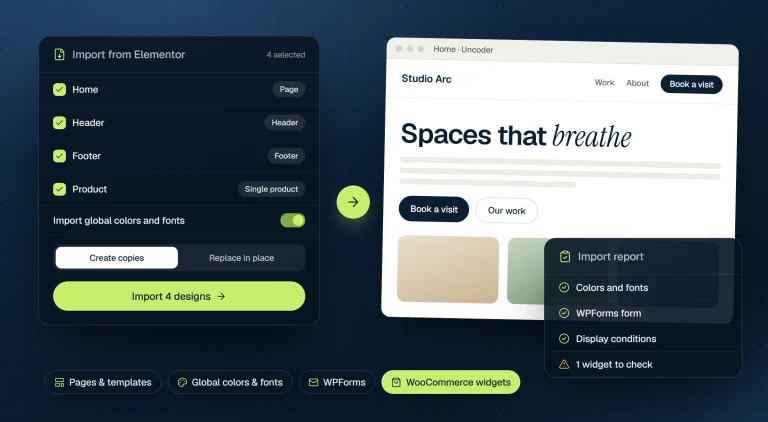
The Elementor importer now converts Elementor Pro’s WooCommerce widgets into Uncoder’s. Its Product and Product archive templates become Single product and Product archive templates, with their display conditions. Once you have checked the result, you can switch Elementor off.
Compatibility
Uncoder is marked compatible with WooCommerce’s High-performance order storage and its cart and checkout blocks, so WooCommerce no longer lists it as incompatible. WooCommerce support was tested with WooCommerce 11.2. Uncoder needs WordPress 6.6 or later and PHP 8.0 or later.
How to update
Sites with Uncoder will see 0.1.5 under Dashboard → Updates. Nothing needs migrating: your pages, templates and settings stay as they are. The WooCommerce widgets, the Shop templates and the Shop tab appear once WooCommerce is active, and on sites without WooCommerce nothing changes. WooCommerce support is part of the free plugin.
New to Uncoder? Download it free, then follow the WooCommerce guide. It covers product pages, shop pages, the cart, checkout and account and Shop styles. You can find a tour on the WooCommerce feature page, and every other change in 0.1.5 is in the changelog.