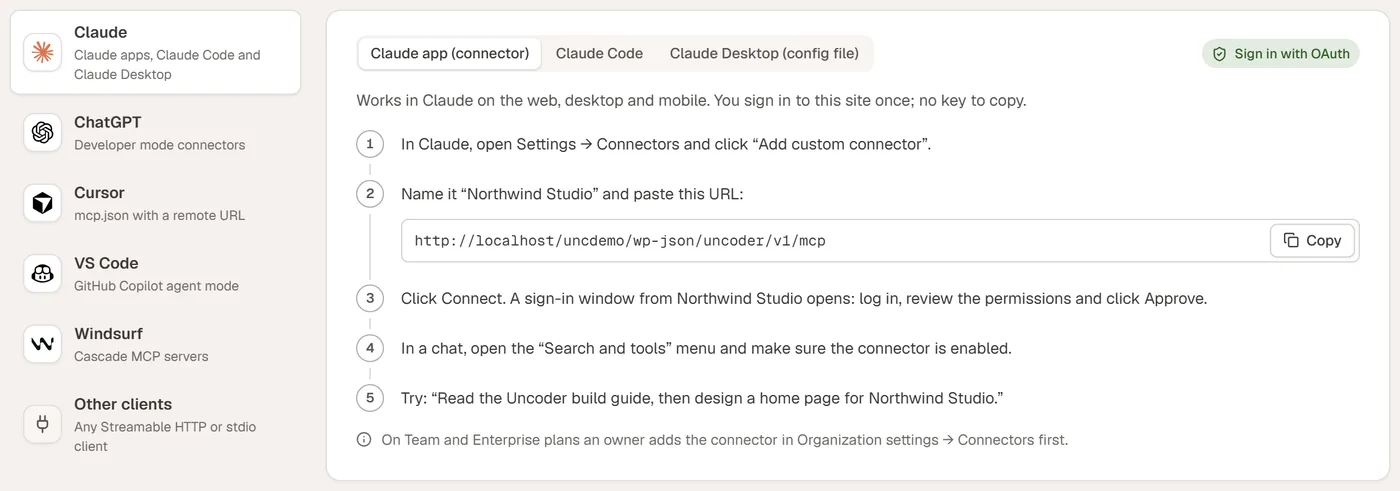
Coding tools such as Cursor, VS Code and Windsurf connect to Uncoder with an API key. It works for local sites too, as long as the app runs on the same computer.
1. Create an API key
In WordPress, go to Uncoder → AI & MCP → API keys and create a key. Choose only the permissions you need — for page building, Read, Content and Design are enough. Set an expiry date if you like. The key is shown once.
2. Add the server
Copy the Server URL from the top of the AI & MCP screen. In Cursor, open the MCP settings and add a server with that URL and an Authorization: Bearer header with your key. VS Code and Windsurf use the same two values; the Connect a client tab shows ready-made snippets for each.
3. Ask
Open the chat and try: “Look at my site and tell me which pages exist.” Then: “Create a draft landing page for our spring sale with a countdown and a signup form.”
Good to know
- Every call shows up in the activity log with an undo button.
- Revoke the key at any time; the tool disconnects immediately.